PiDP-1 - addendum 2026
Click on any icon image to see the larger photo.
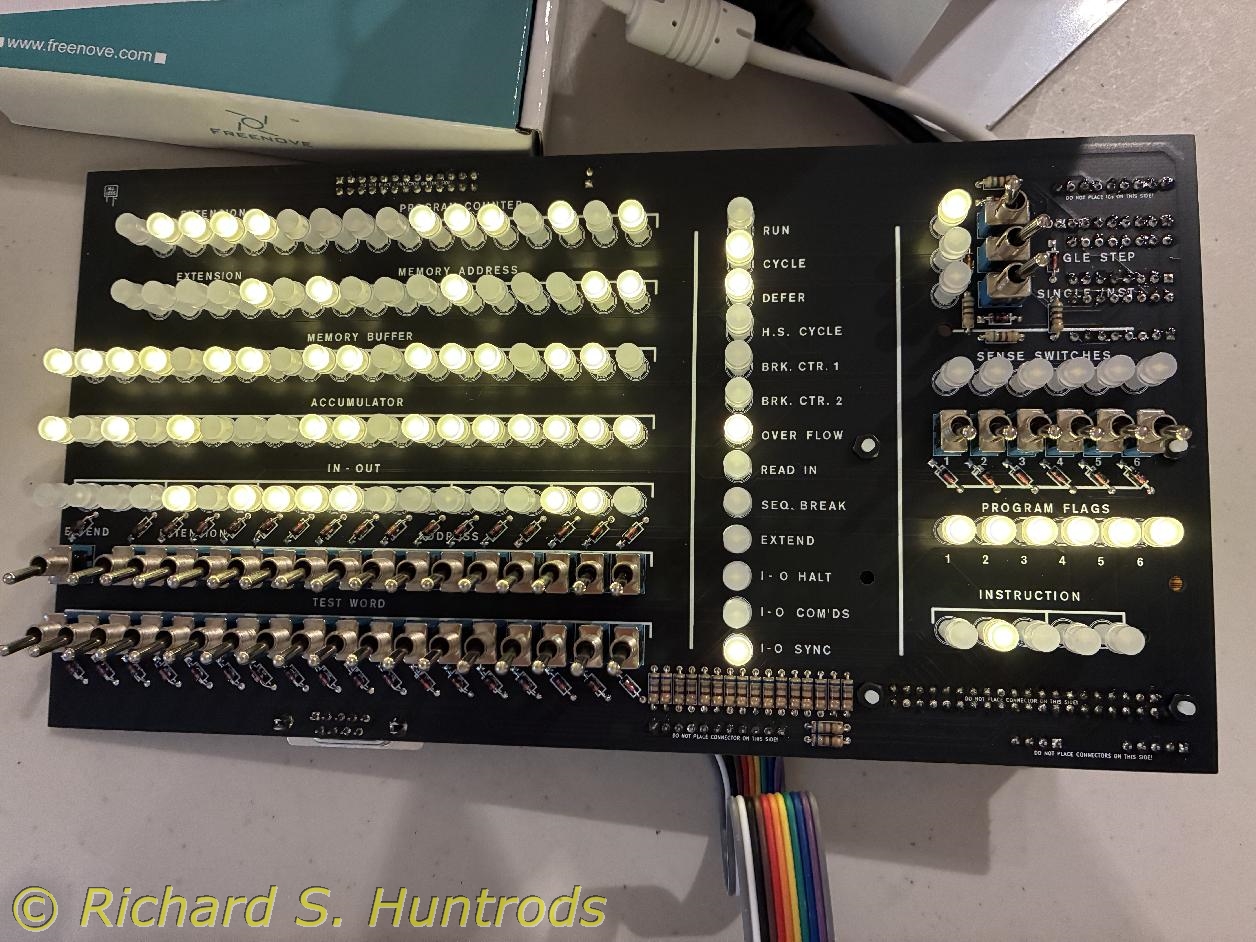
The standoffs from Mark arrived today (3!), so I wasted no time removing the electronics from the console case to solder in the last LED. I was careful to ensure placement of the last LED as well as lead orientation, then taped it in place and soldered it into position.
A final confirmation was done by powering up the Raspberry Pi and running '/opt/pidp1/test.sh' to see all LEDs working with the electronics sitting bare on the desk.
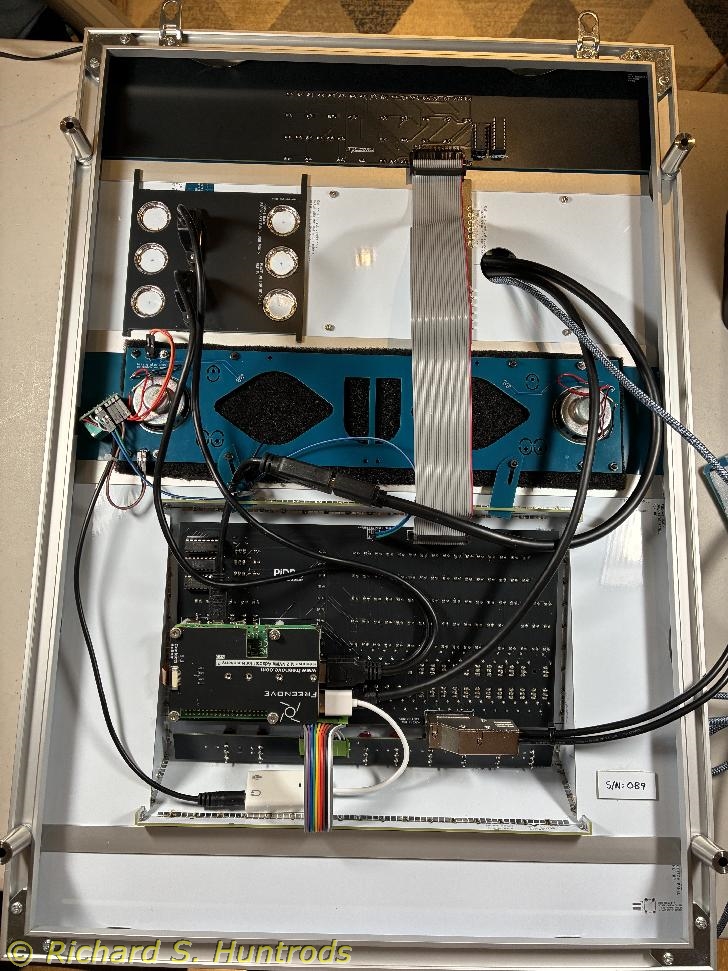
Then the electronics were installed in the rack operator panel and final assembly of the rack was completed.
I received an email from Oscar today, detailing the use of the speaker tabs and correct placement. I looked at my rack and saw the tabs were not in the correct place at all.
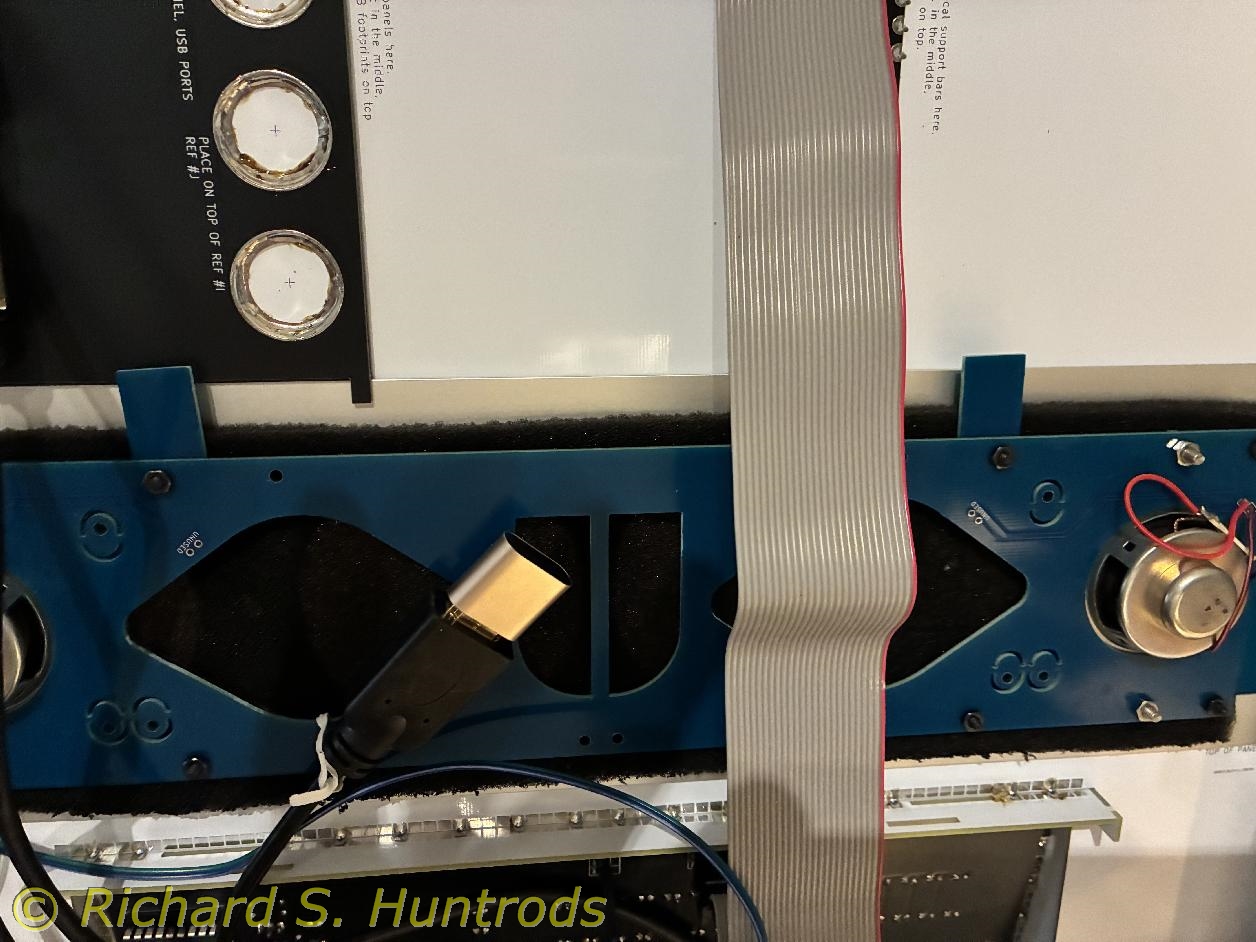
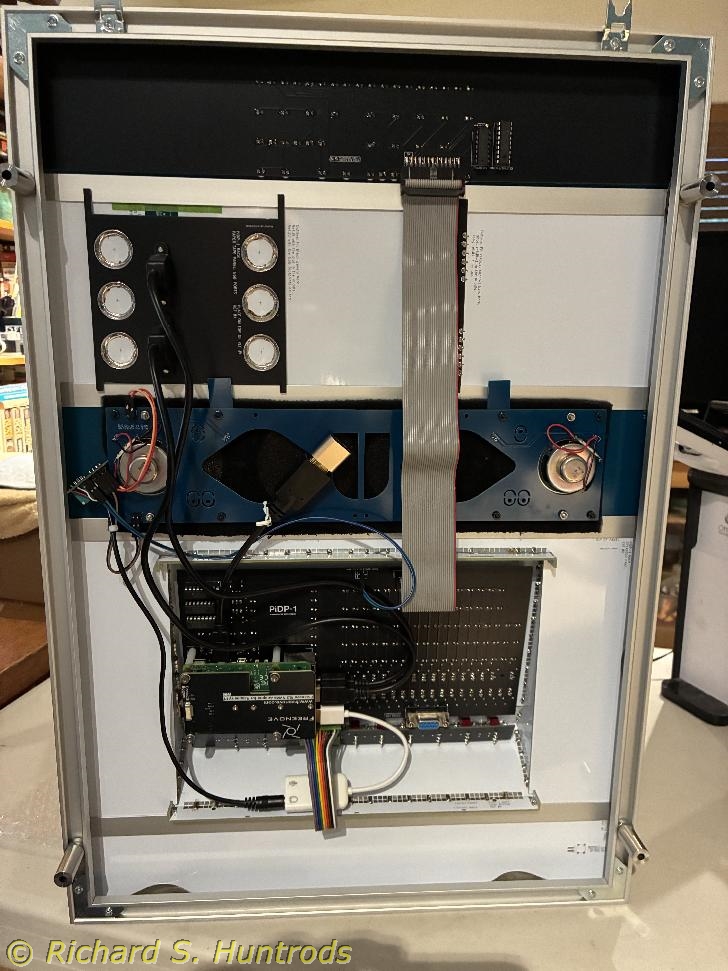
With care I removed the backing nuts from the top back of the speaker panel, then removed the tabs and buttoned up the top of the panel again. I then removed the two bottom back nuts and installed the two tabs in the correct location, ensuring they interlocked with the slots in the operator panel.
The finished assembly looks good and the tabs work as designed.
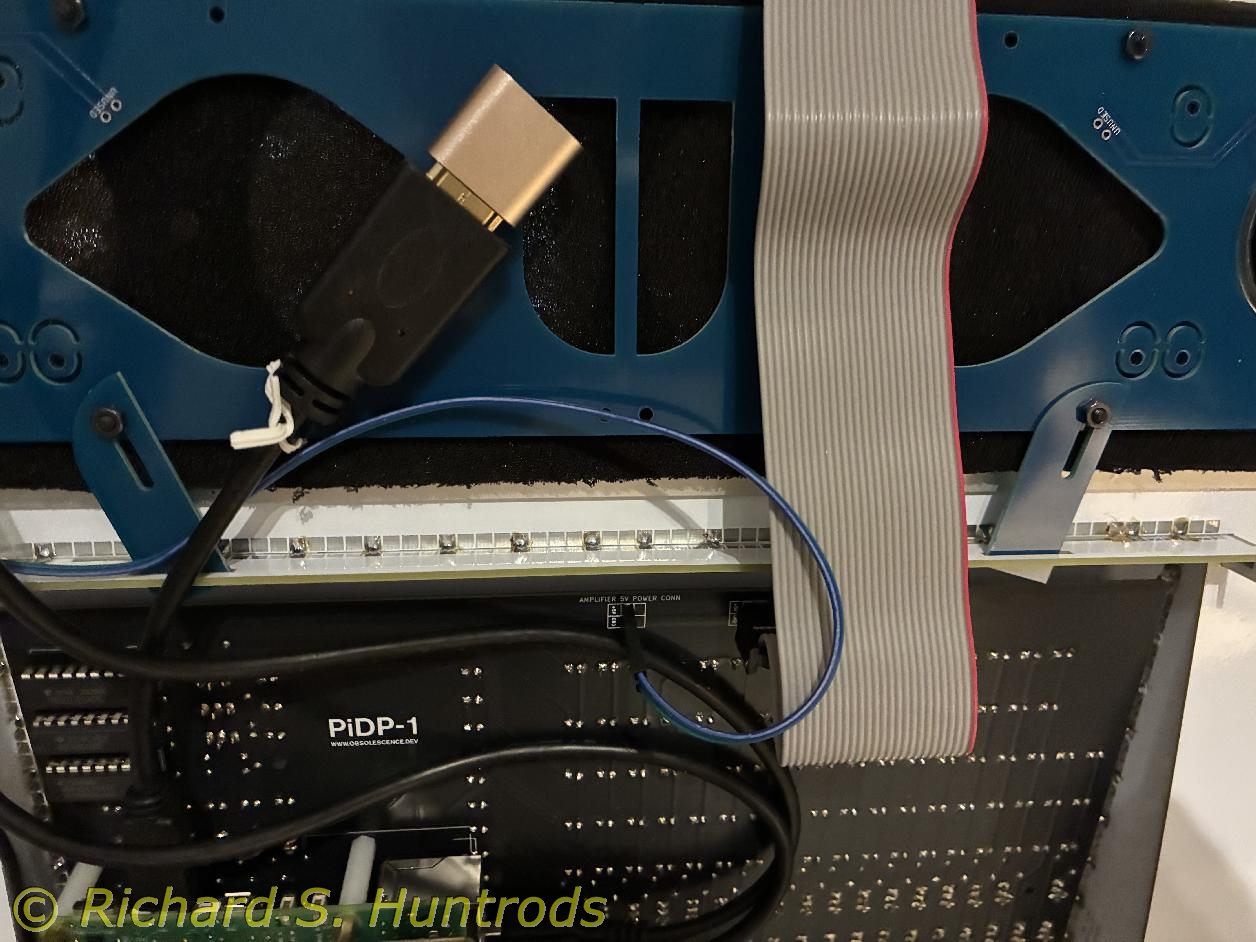
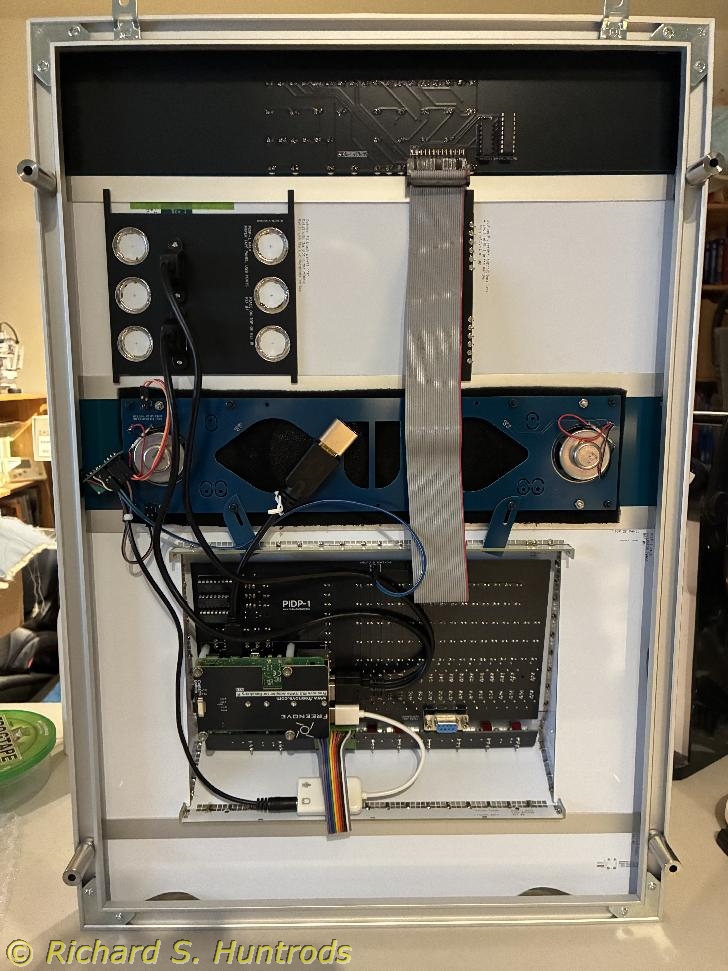
At the moment I have nowhere handy to mount the PiDP-1 rack. I can't mount it on a wall as I do need to access the switches on the operator panel, and this can't be done with any current wall mount. I hope to eventually mount it on the front of my 19in music synthesizer rack, but the PiDP-1 is narrower than a 19in rack and so must be attached some other way. The music rack is also full of synths, so I need to mount the PiDP-1 in front of the synths. At the moment it's not clear how I can do this, but I'm certain it will require fabrication of some type of mounting system.
In the meantime, I attached the frame standoffs to the rack in order to create a flat sitting 'test bed' for the PiDP-1. This allows it to sit flat on my work table so that I can finish final testing and configuration of the PiDP-1, incuding testing the I/O panel and getting the speakers working and configured, and testing the USB paper tape panel functions.
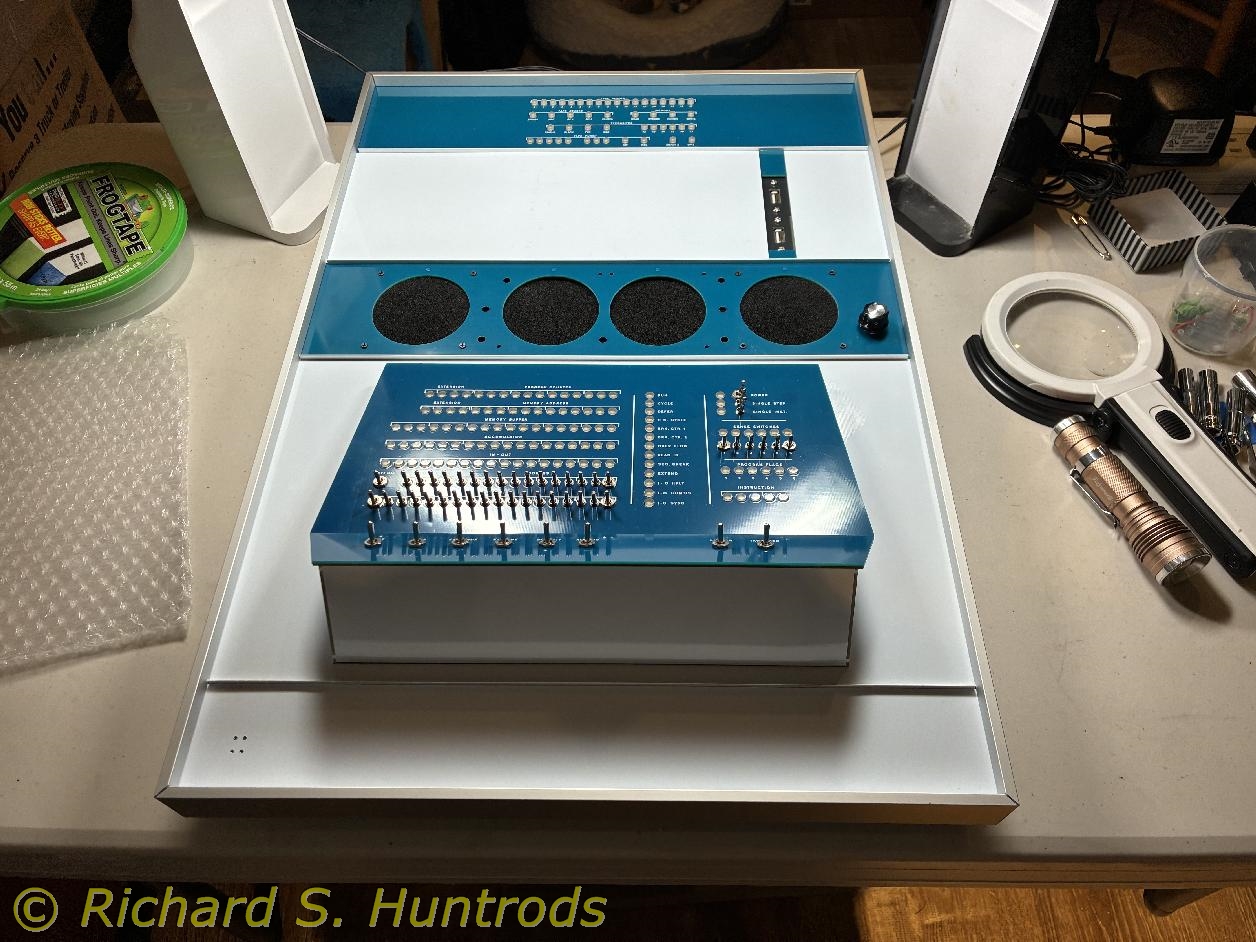
Ever since building the frame of the PiDP-1, I knew that finding a home for the finished kit would be a challenge. As stated before, it can't really be mounted on a wall because I need to access the switches, and this isn't possible with wall mounting in my office. I thought about mounting it on my existing music (synth) rack, floating in front of the synths, but that is a 19in rack and the PiDP-1 is narrow enough that fitting it poses several challenges, each inviting some type of rube-goldberg construction.
One thought I had early on was something I've seen but never owned - a rolling mid-height rack with tilting upper frame. These were often used for mult-track mixers or reel-to-reel tape decks. I even thought about buying one several years ago when I was playing with an 8-track 1/2in multi-track reel-to-reel tape recorder, but the cost was too high (over $200 for most options).
Yesterday in marketplace I saw an ad for the exact rolling 'mixer rack' I had wanted, and the asking price was $30. It was too good to pass up, so I messaged the owner today and then drove over and picked it up. It's used but in good shape, and perfect as a mobile home for the PiDP-1!
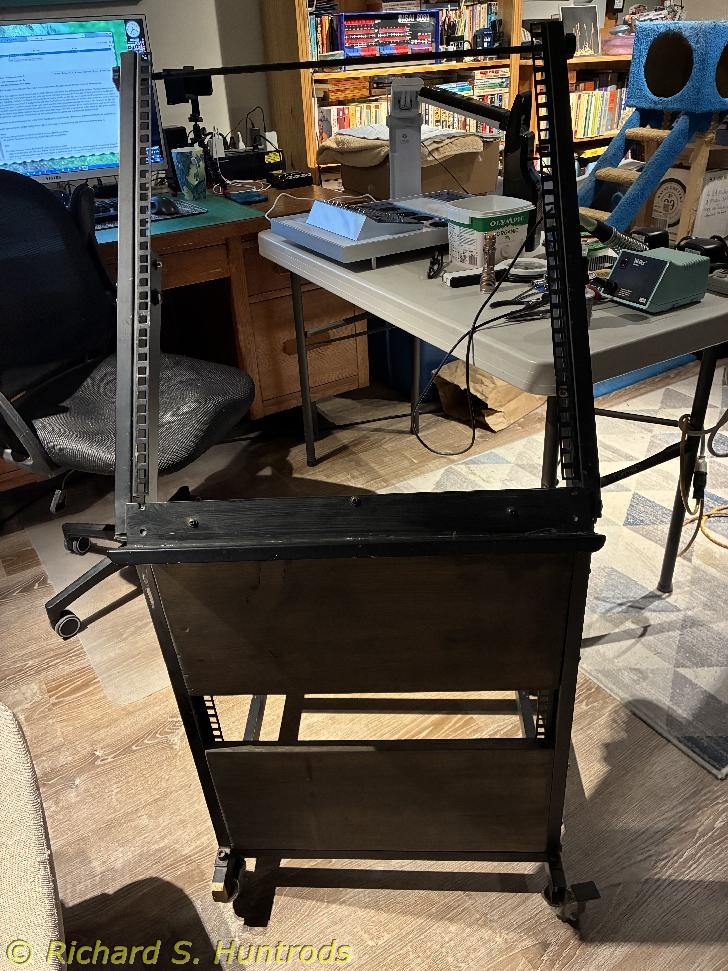
I found my 19in 1U spacer pieces yesterday, but could not find any of my hardware (clips or bolts), so I ordered some.
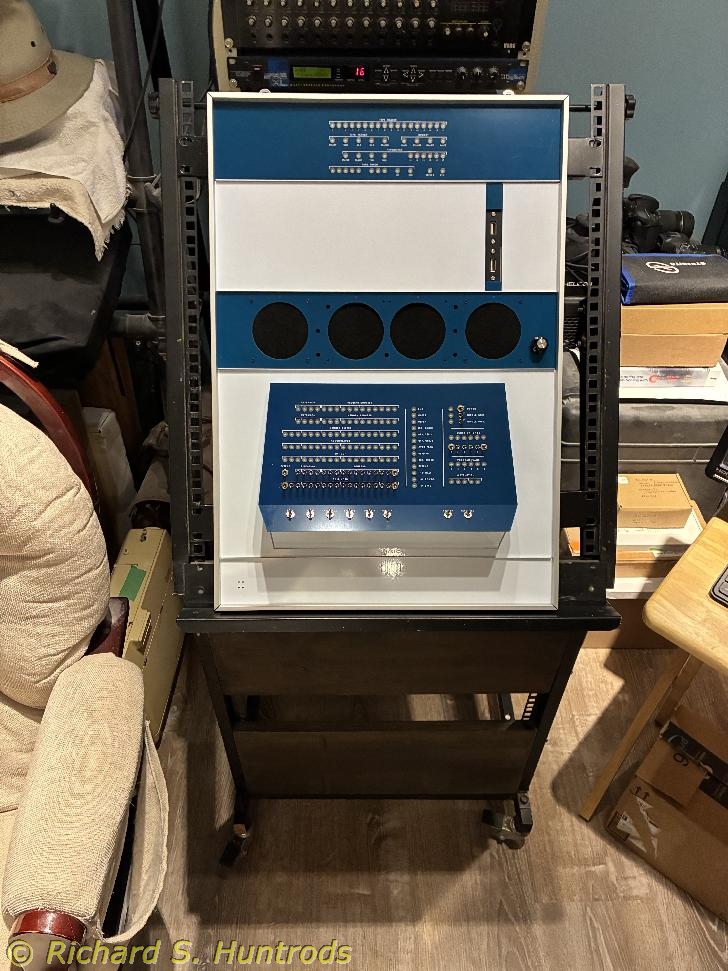
Today I fixed one caster that was loose, and then attached the 19in rack spacers to the rack using twist ties, which turns out to be quite solid, then placed the PiDP-1 rack onto the music rack, using the 1U spacers to support top and bottom, and finally twist-tying the mounting lugs on the PiDP-1 frame to the cross-bar at the top of the music rack.
I am very happy with this display/operation arrangement. It looks really nice, and is portable which is important in this room. It's not powered on at the moment, but almost compete and ready to go.
I've also ordered a 7in HDMI screen that I plan to mount on the surface of the paper tape panel, and that should come this week.
For some time now I've experienced an issue with the PiDP-1 related to power. I am using a CanaKit 27W PD power supply that I bought in 2024 when I purchased this Raspberry Pi-5, and which has worked without issue until now. The same Pi-5 and supply has worked perfectly without issue on the PiDP-10 I built in the summer of 2024.
The problem occurs with the rack PiDP-1. Whenever I turn on the sound amplifier which is connected to the Pi via USB dongle, I get a dreaded 'lightning bolt' icon with a warning indicating low power has been detected by the Pi-5. After much testing, it only occurs if I turn on the amplifier, and always occurs shortly after I turn on the amplifier. It's worst if I'm running the blinky lights demo program as that exercises the most lights, but it will always turn up no matter what program I'm running.
The solution according to the PiDP-1 forum is to buy a newer 'official' 45W Raspberry Pi power supply. They aren't all that expensive, but shipping from some places is almost as much as the cost of the supply! Fortunatley Digikey has reasonable shipping, so I ordered one tonight and switch when it arrives.
The 45W Raspberry Pi power supply from Digikey arrived today. I plugged it in and tried turning on the amplifier while running 'blinky' and there was no lightning bolt at all.
I am also having a sound issue, which may or may not be related to the power supply issue. Essentially, I have not been able to get sound at all from the audio dongle sound to work at all. Although diagnostics clearly show the audio dongle is plugged in and functional, it will not produce sound no matter how I try and enable it. Only HDMI sound seems available.
However, there is no actual HDMI monitor or sound on the Pi-5. Instead, to preserve screen resolution under VNC, I use an HDMI dummy plug which fools the Pi-5 into thinking there's a hi-res HDMI monitor attached. I think this is fooling the audio sub-system by presenting the HDMI as supporting sound output when it actually has no sound support at all.
With the dummy HDMI plug in place I see three sound outputs on the Pi-5; two HDMI outputs and the USB audio dongle output. Given the HDMI dummy plug is just a dummy, there are no sound features at all. Yet somehow it is fooling the Pi-5 into thinking it supports sound output.
If I were to replace the HDMI dummy plug with a proper HDMI monitor, I suspect it would clear up the HDMI audio and might just fix the overall audio issue.
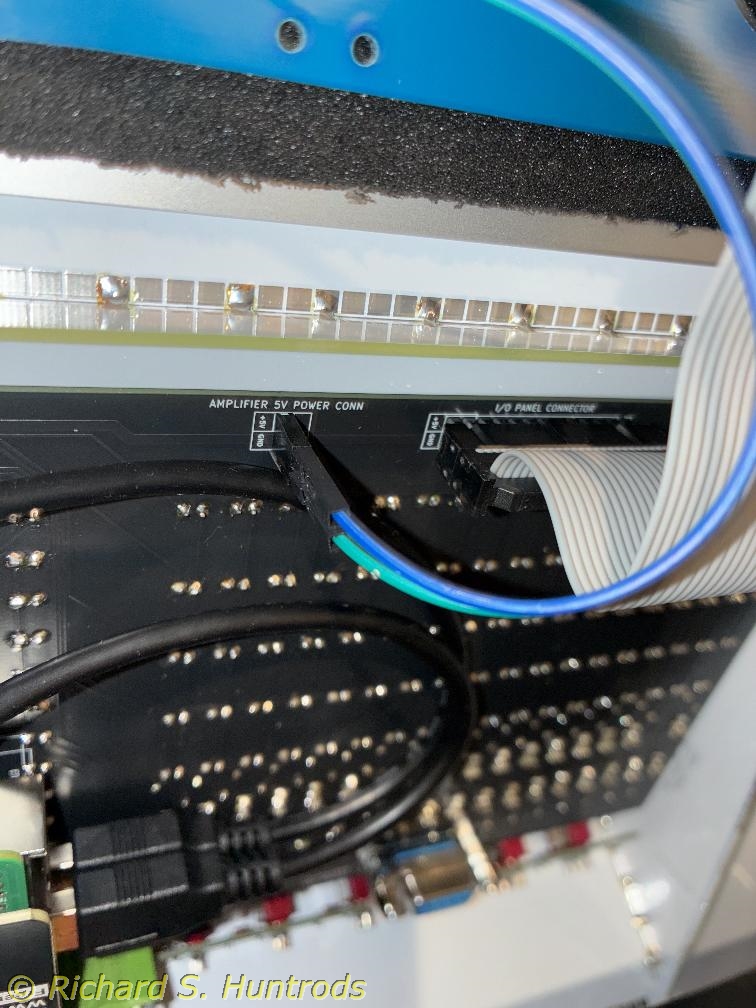
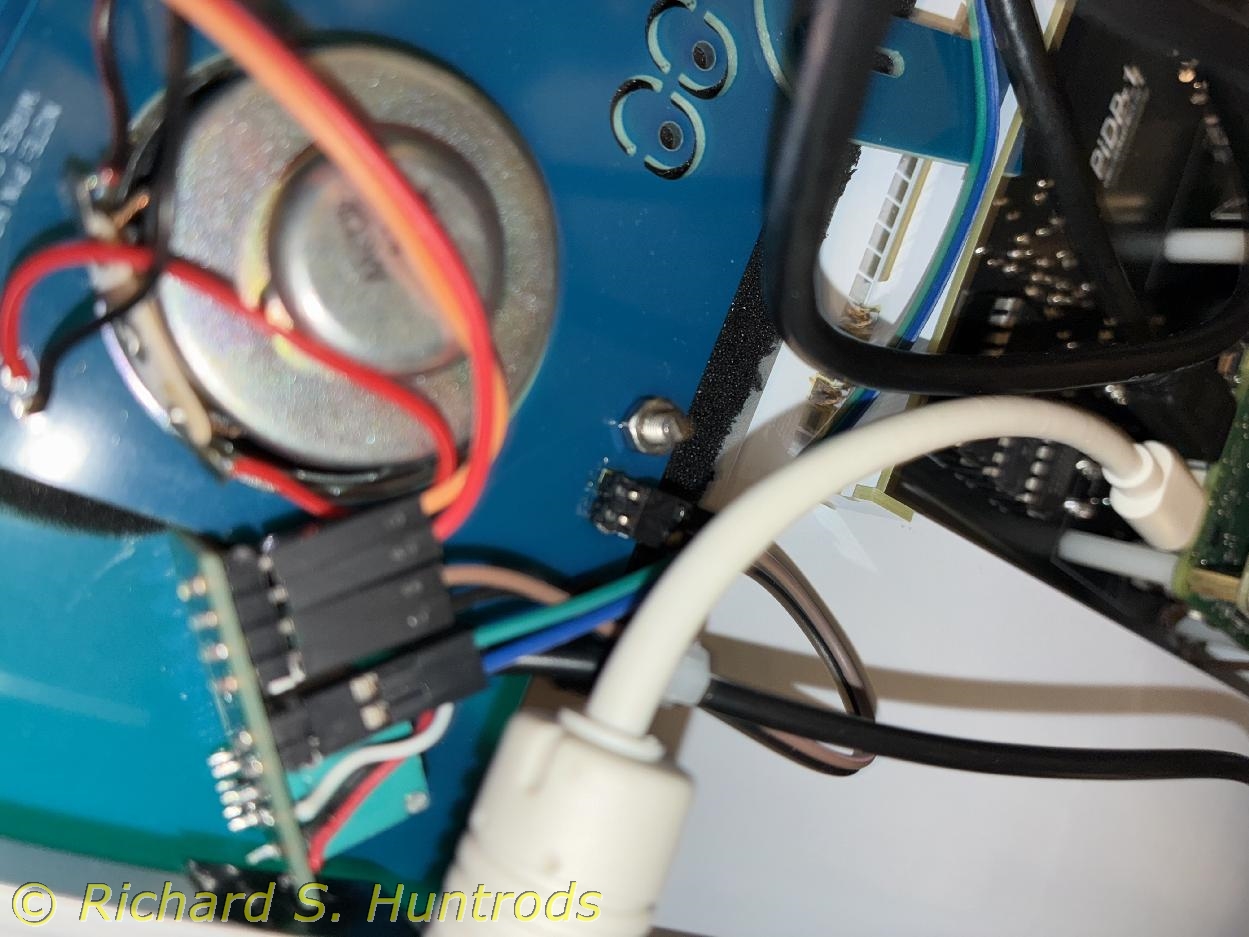
With the new 45W Raspberry Pi power supply installed and working, turning on the amplifier no longer caused low power issues. Over on the HDMI monitor page, I describe installing and using the new Elecrow 7in HDMI display, which provides another audio system for the PiDP-1. It also fixes the audio issue with the dongle, as I now have both audio outputs available, working and tested - even with the PDP1 music system.
From the start I would run either the blinky lights program, or the snowflake program. This was because other programs didn't seem to offer much of interest on the screen. I did run the music program and it worked very well (best with HDMI sound), but has no visual output.
I have been running 'munch' on my PiDP-10 kit with great success, so wanted to get munch working on the PiDP-1. Reading the various manuals and descriptions on the web, it was indicated that munch used front panel 'test word' switches to vary the displayed output. With this information, I loaded and ran the munch tape and experimented. The display I like the best uses a single test word switch (#9 numbered from left). I really like this setting.
 2025-01-24.jpg "PiDP-1")
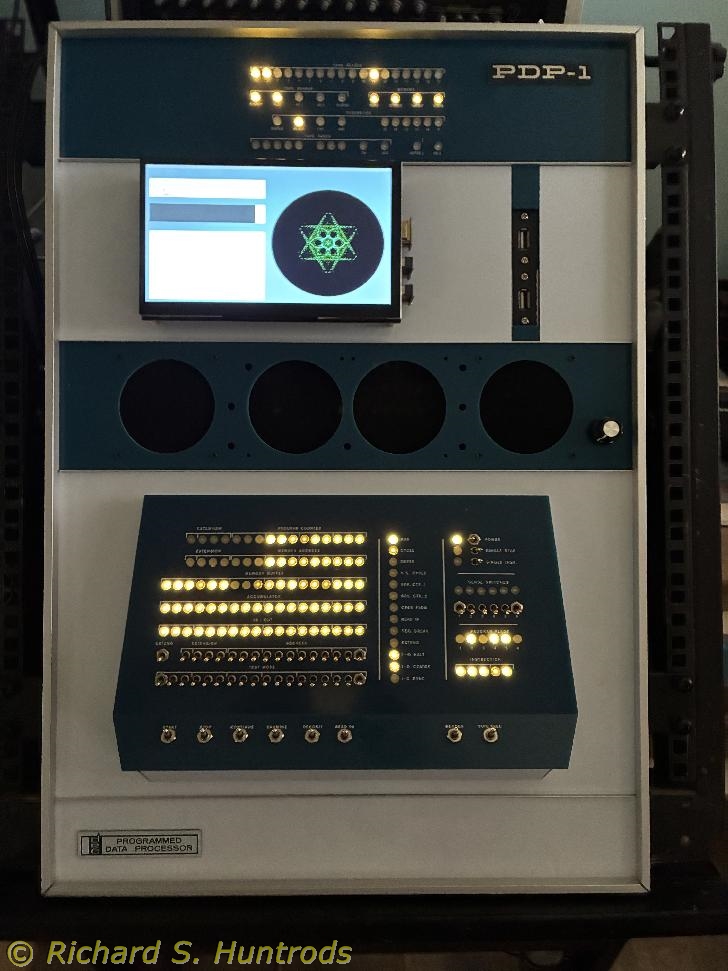
With all of the building and testing complete on the PiDP-1 rack kit, it was time to apply the finishing touch, the labels. The kit supplied two front labels printed on plastic; a 'PDP-1' label and a 'PDP Programmed Data Processor' label. In archival pictures of several actual PDP-1 computers as well as finished kit photos, the 'PDP-1' label is usually attached to the Paper Tape panel, and the DEC label to the lower panel, however actual placement seems to vary by time, location of the computer and other factors.
Because my HDMI monitor occupies much of the Paper Tape panel real estate, I chose to mount the 'PDP-1' label on the right side of the upper blue I/O panel instead. I saw this location in another kit build, so it's not that unusual. The DEC label I chose to locate over the optional button switch holes in the bottom panel (left side). The latter location was also recommended in the kit if one chooses to not install the button switch (kind of an off switch for the Raspberry Pi).
The console case has a spot printed on the back for Serial Number, and the kit suppliers wrote my serial number 089 there. However, there is no similar spot provided on the rack kit, so I need to create one, preferably on the back. I chose a spot on the rack console; the lower right side of the console panel had the best access and visibility. However, I didn't simply want to write on the panel, I wanted a proper label.
On the console case, there is a cut-out on the lower back panel, designed to allow access to the RS-232 jack. I carefully removed the cutout from the case, and then wrote my serial number in fine sharpie.
Now to attach these labels to their chosen locations...
After much consideration, I wanted a thin glue, and crazy glue (Loctite 501) fit the bill. I've used this glue to successfully build 3-D printed PLA models in the past. I also very recently used it on the PiDP-1 to glue the blue filler tabs on the Paper Tape panel with excellent results. The final test was whether I could glue the labels on without making a mess. The other issue was how to locate the labels in position and keep them in place while gluing. Crooked labels was almost the worst outcome, and I wanted to prevent that.
The solution was again a cerial box. The cardboard is thin and easily cut to exact dimensions. Using a box top, I cut thin strips and did test fittings until I was satisfied with the placements. I also did test runs applying the label (no glue) to ensure I could attach them precisely and quickly when ready. Test fitting also indicated the rack must be flat on a table for things to work as intended.
Finally, I attached the serial number label. Putting the rack back side up flat on a towel, I set the cardboard template in place, marked the label location on the template in pencil, then applied two small dots of glue. I then tilted the label into place on the glue dots. Some glue did seep out an edge, but a kleenex wiped it up without mess. With this success, I then applied the two front labels with equal success. With practice I was able to control the size of glue drop and have minimal excess. I am extremely satisfied with the labels.