PiDP-1 - Testing
Click on any icon image to see the larger photo.
My Raspberry Pi-5 was purchased last summer in preparation for building the PiDP-10 kit. I bought the Pi-5, a top mounted NVME m.2 SDD hat, a cooling fan and a metal case. Once assembled I ran the procedures to build an SD card with Raspbien and then copied it to the SDD. I then installed the PiDP-10 software. When the actual hardware PiDP-10 kit arrived and was complete, it became obvious the top mounted NVME hat would not work as it blocked several GPIO pins required to connect to the PiDP-10. As a result, I bought a second Raspberry Pi-5, a BOTTOM mount NVME hat and a cooling fan. Once these were functional I installed this Pi-5 on the PiDP-10 where it has been happily running 24/7 ever since.
In preparation for getting the PiDP-1 early this fall, I installed the PiDP-1 software on the first Pi-5, and used this as a test bed to familiarize myself with the PiDP-1 operation, albeit using the virtual console. The PiDP-10 software remains in place, simply not being used as the default boot is for PiDP-1.
Once the PiDP-1 kit arrived, I knew that I needed to repurpose the first Raspberry Pi-5 to run the PiDP-1 software, and ultimately install it on the completed PiDP-1 hardware. I already knew I would need to swap the top NVME hat for a bottom hat. Sadly, the brand I'd used on the PiDP-10 was quite expensive ($45 CDN). Other brands with high ratings were less than $20 and arrived sooner, so I purchased one from 'Freenove'.
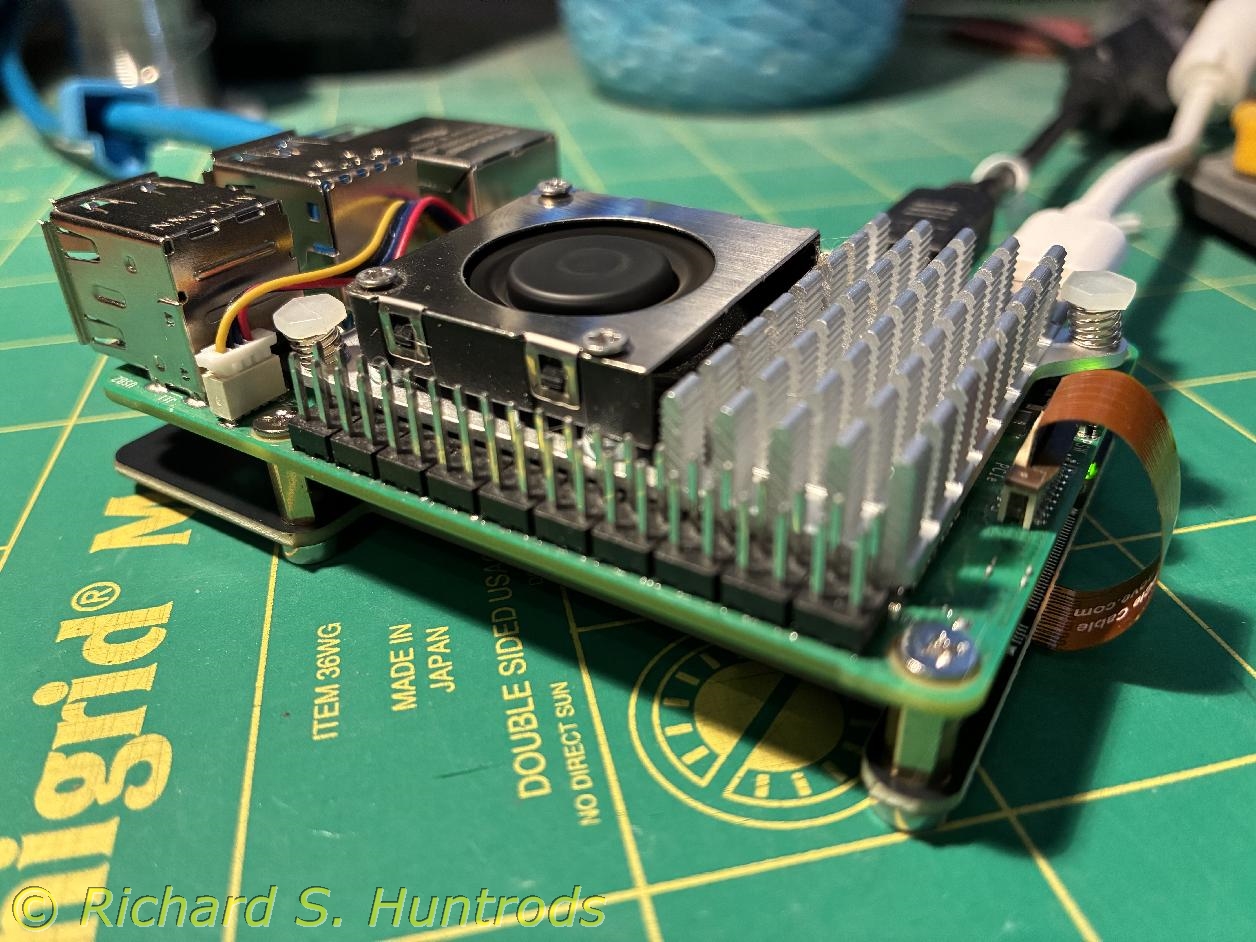
The hat arrived today and I proceeded with the swap. I was hoping I could just swap hats and use the SDD without change. There were some initial issues getting it to work, such that I pulled out my PiDP-10 SD card which I had saved. Booting from the SD card allowed me to see the NVME was not detected. I rechecked the install instructions only to find I'd installed the small interconnect ribbon cable backwards at one end. Installing it properly resulted in immediate booting from the SDD. I removed the SD card and the Pi-5 has been running perfectly off the SDD in the bottom NVME hat.
The photo is the Pi-5 with cooling fan and bottom mount NVME card ready to install in the console kit for hardware testing.
With the Raspberry Pi-5 ready to run in the PiDP-1 hardware and turned off, I installed it in the console case by carefully aligning the GPIO pins and gently pushing it home. Due to the way I've mounted the bottom NVME hat, I cannot fasten the Pi-5 to the circuit board standoffs, but friction is holding things in place just fine.
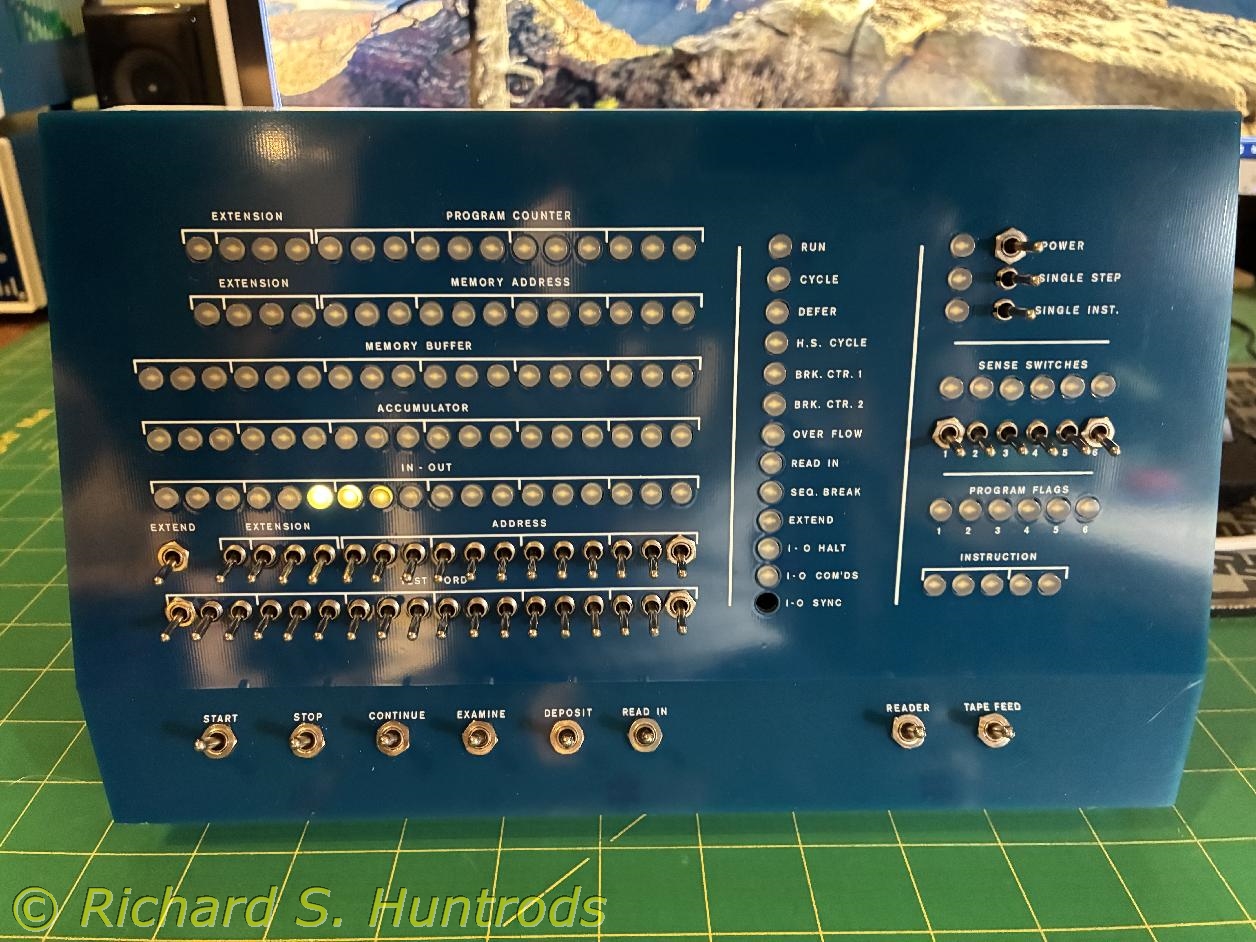
I powered up the Pi-5, and was rewarded with a few LEDs lit, but nothing else. Opening VNC to the Pi-5 I could see it had booted to PiDP-1 operation (the default), so I stopped that and ran /opt/pidp1/test.sh and was immediately rewarded by having all the LEDs save the missing LED turn on and off in sequence. Reading the test output, I proceeded to test every switch to complete success.
Finally, I started the PiDP-1 software, but again not much. I read the manual, stopped the PiDP-1 and issued the command to switch from virtual panel to hardware panel. Restarting the PiDP-1 software, I was able to turn the machine on with the hardware switch. I loaded the snowflake tape and pressed the 'load in' switch to read it and display the snowflake.
I took a short video of the test.sh program exercising all the LEDs as well as a photo, and another short video of me turning the PiDP-1 on with the power switch and loading and running the snowflake tape. They are on youtube but links are below.
 PiDP-1 testing